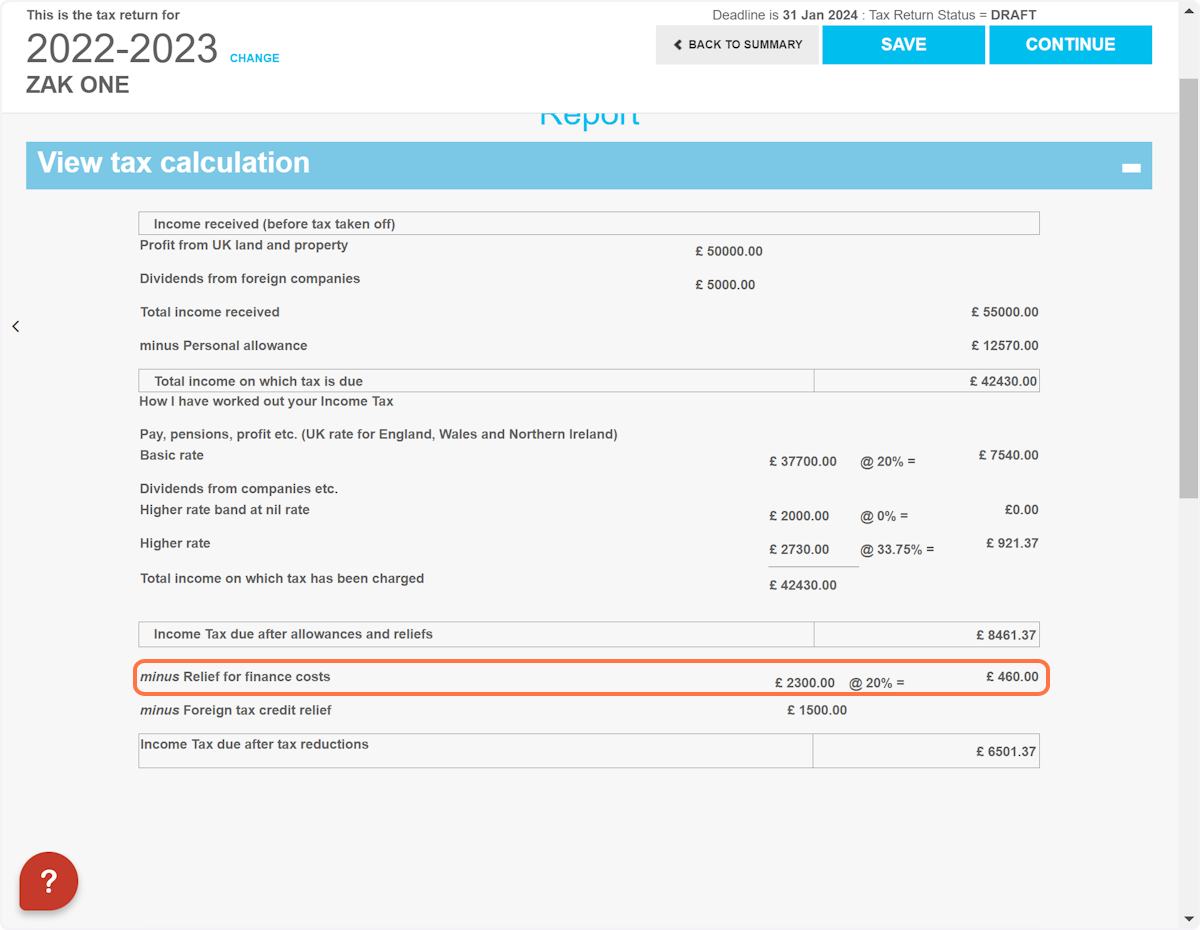
SA105: How do I claim for unused finance costs brought forward (BOX 45)?
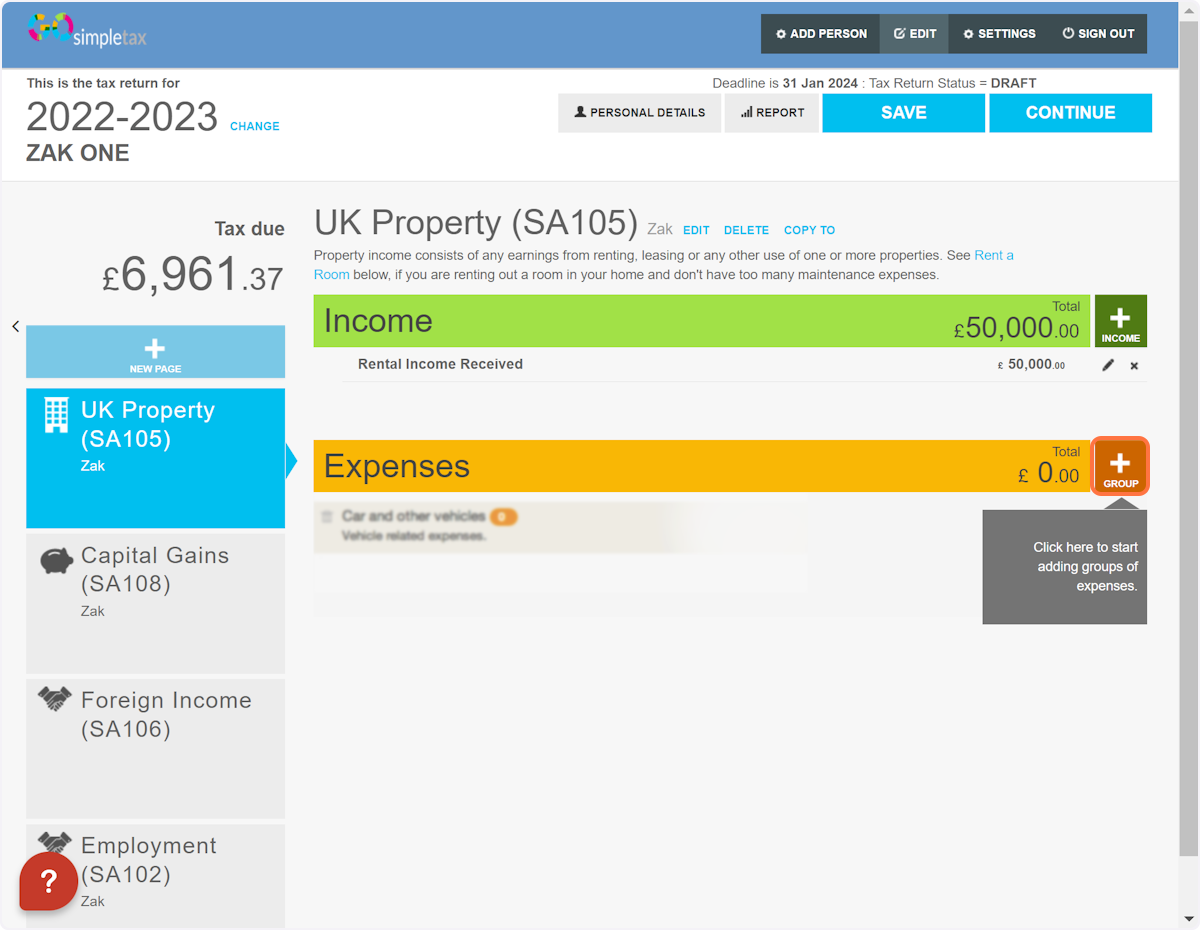
1. Once you're on your property page, click '+ GROUP'
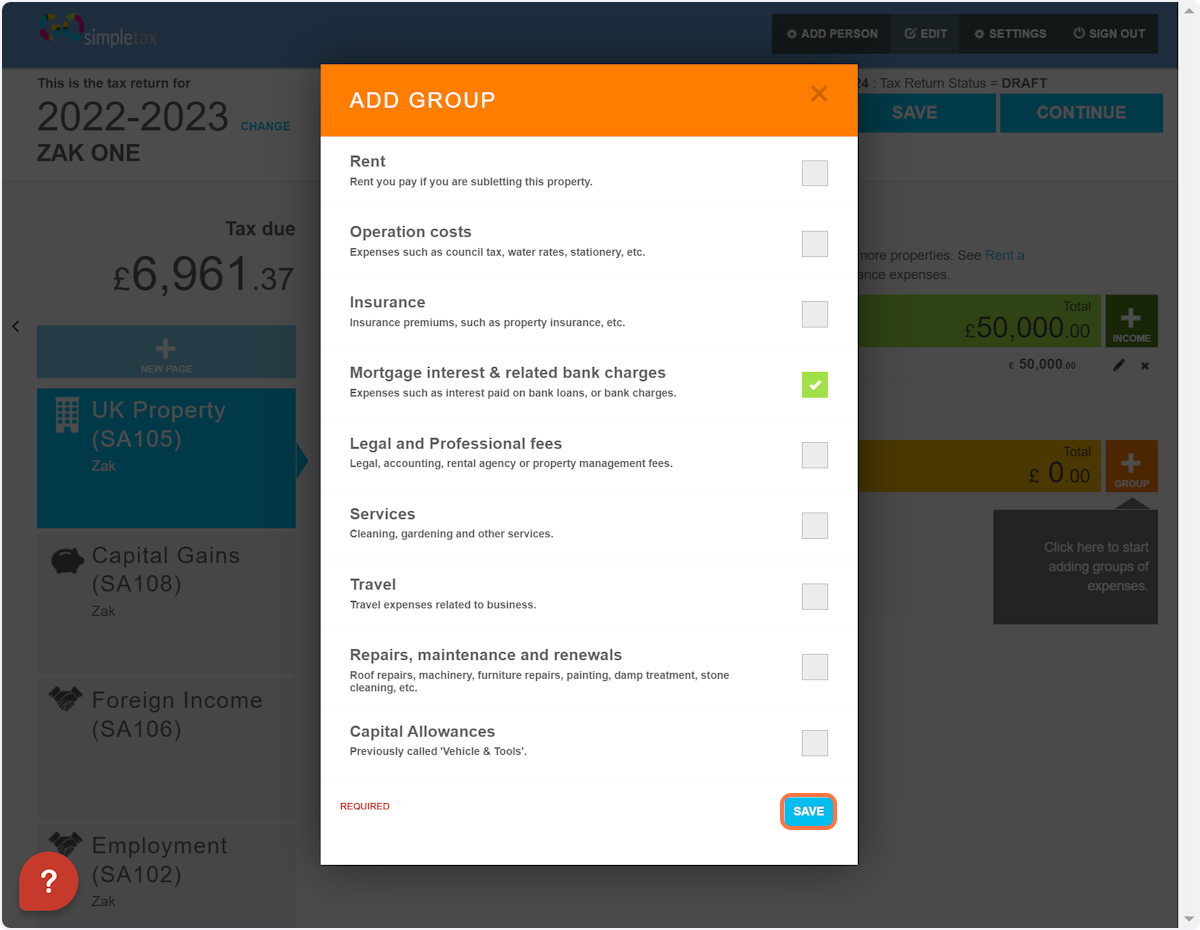
2. Select 'Mortgage interest & related bank charges' then click 'SAVE' at the bottom
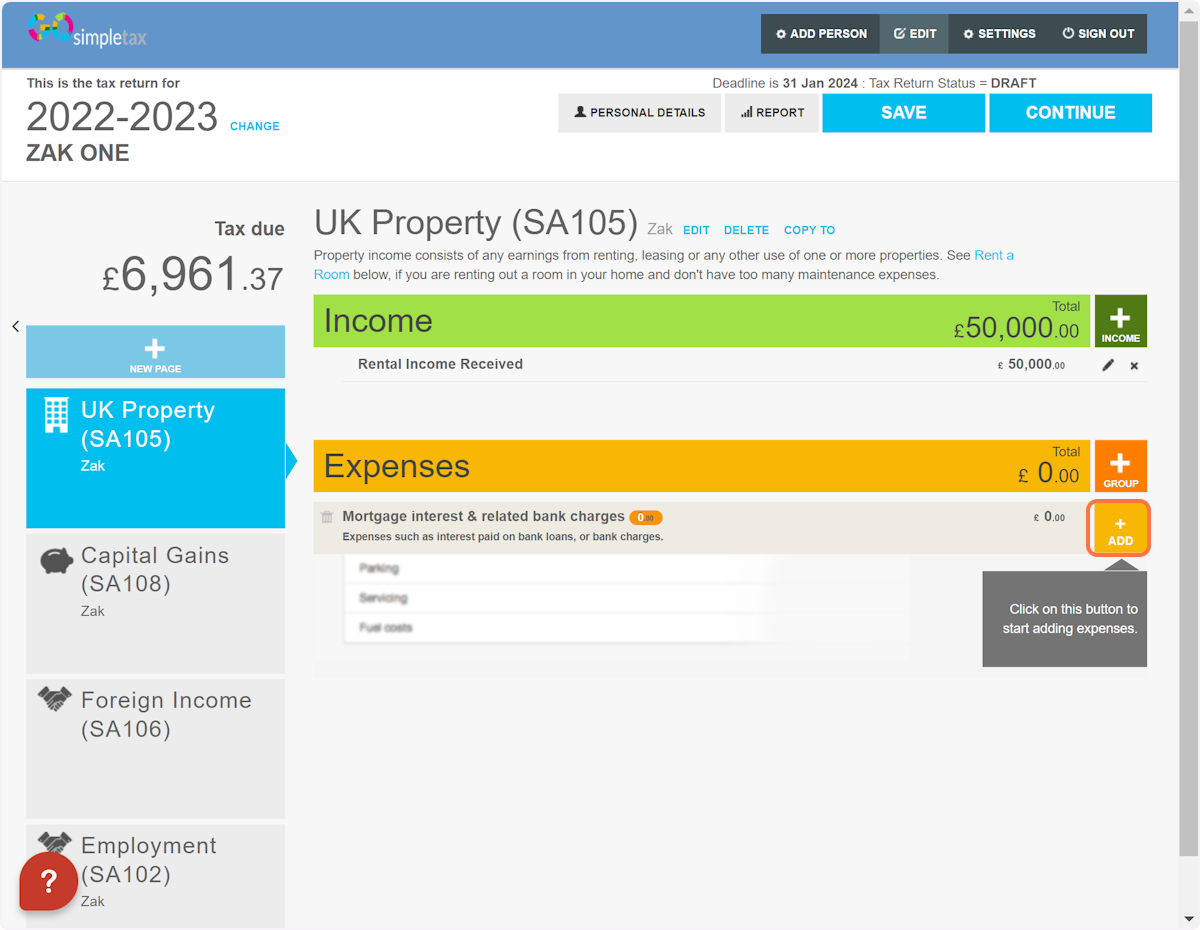
3. Click on '+ ADD'
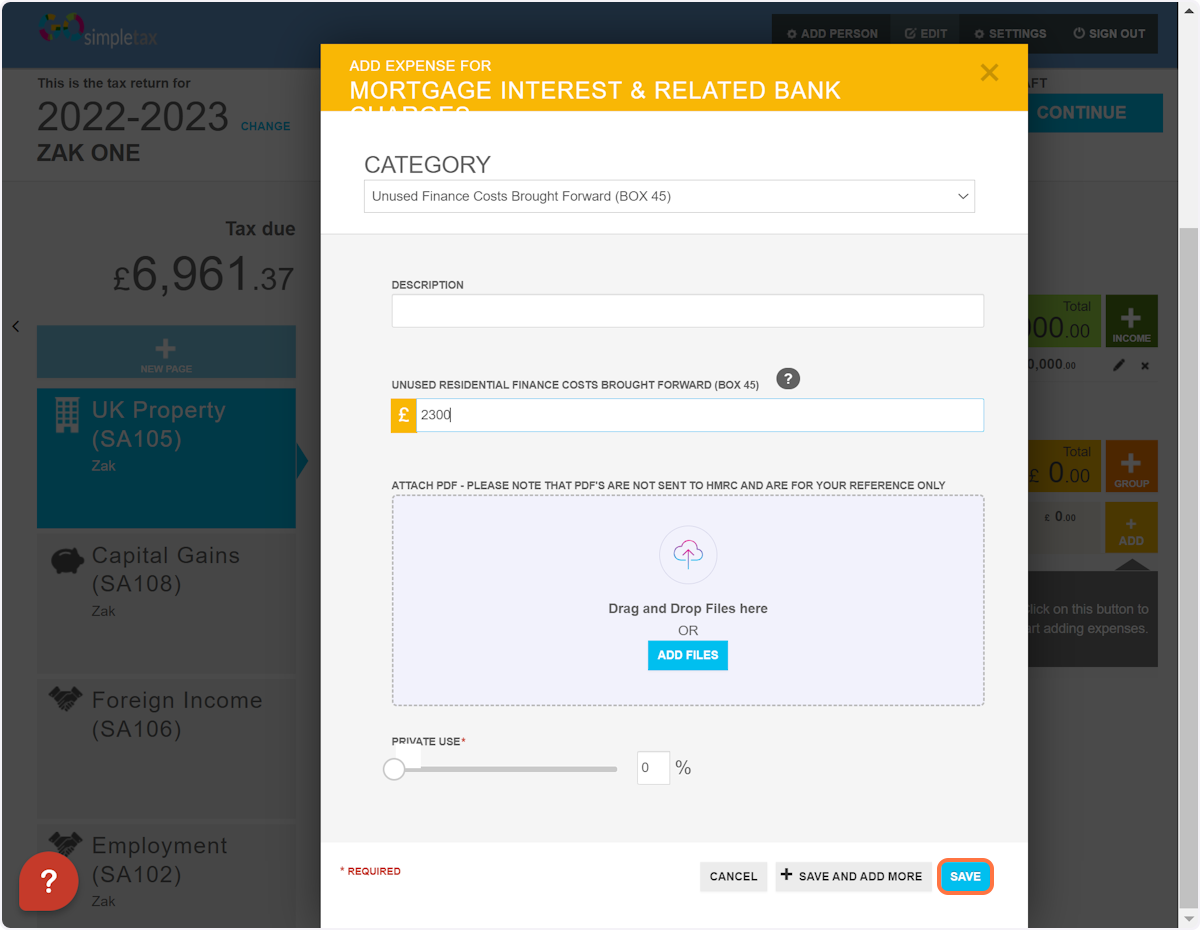
4. Select 'Unused Finance Costs Brought Forward (BOX 45)' from the drop-down list and enter the amount in the box provided below. Following this, click 'SAVE'
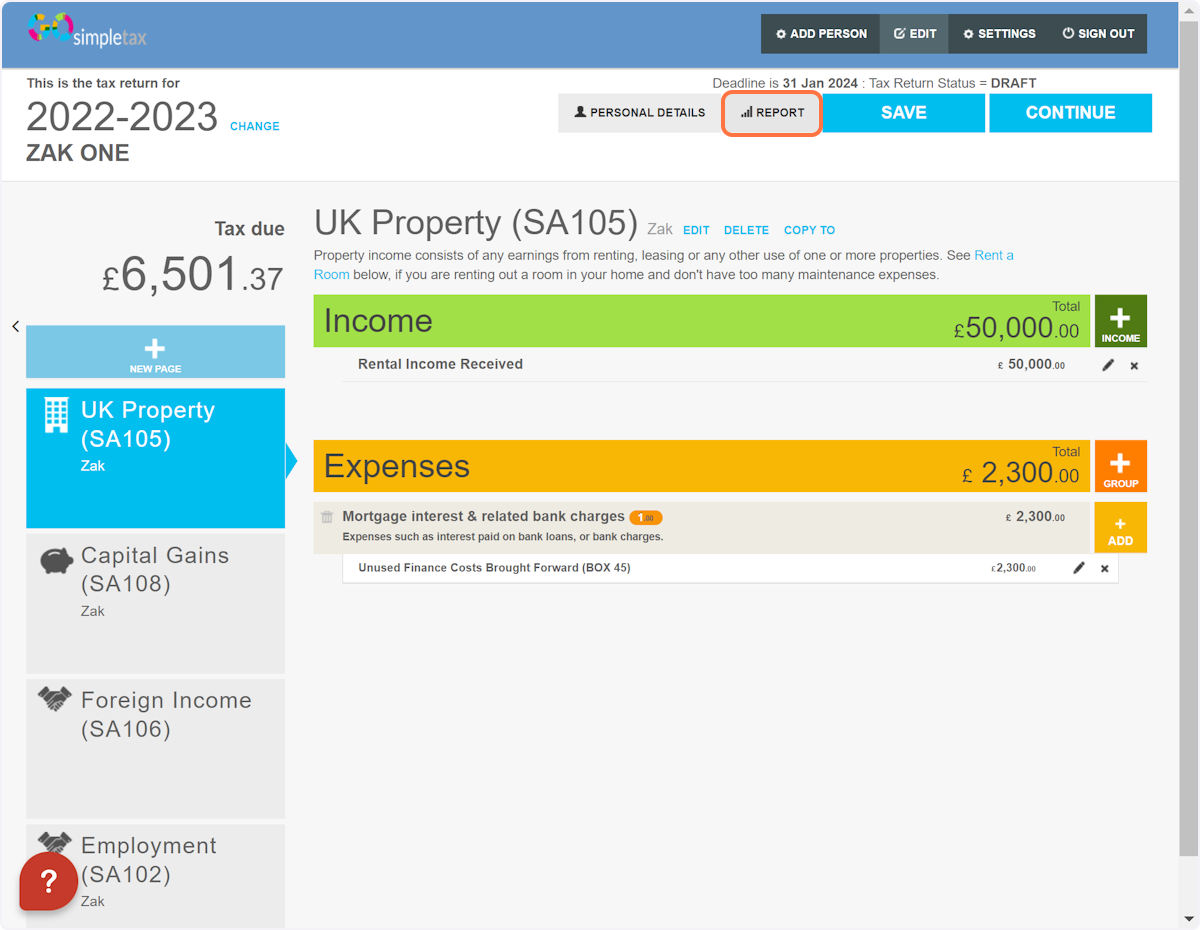
5. Click on 'REPORT'
6. Click on the '+' symbol
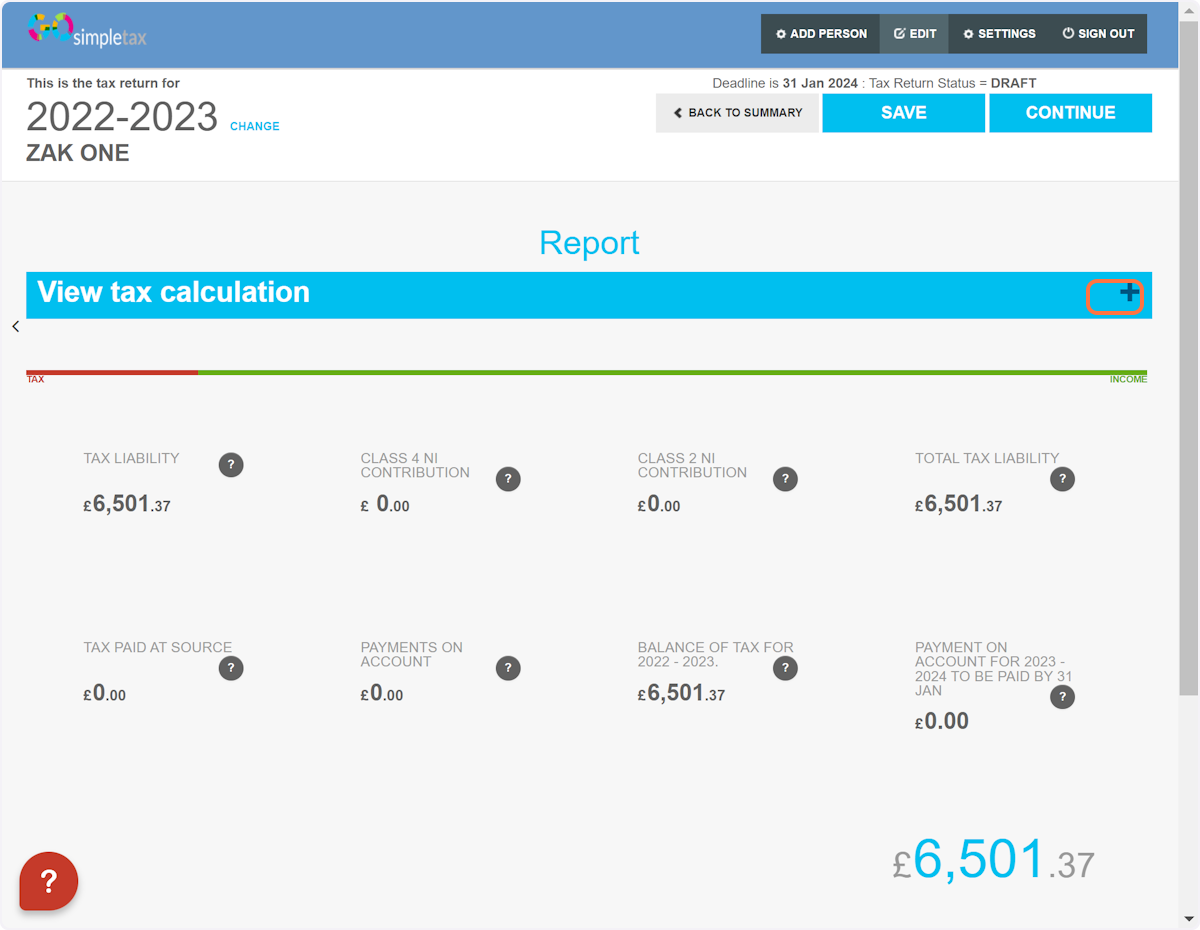
7. Here you'll find your unused finance costs brought forward being accounted for